














Shopping Cart
0
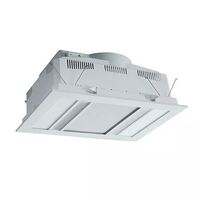
Martec Phoenix 3-in-1 Fan, Heater, Light & Exhaust White
Model # MBHP1000W
Model #
MBHP1000W
$324.50 $295.00 ex GST
17% OFF
RRP $389.00
Download the MJS App today and get everything you need at your fingertips





Need Help?
Need Help?
 Air Movement
Martec Phoenix 3-in-1 Fan, Heater, Light & Exhaust White
Model # MBHP1000W
Model #
MBHP1000W
$324.50 $295.00 ex GST
 Cable
Cable
 Circuit Protection
 Conduit & Ducting
 Electrical Accessories
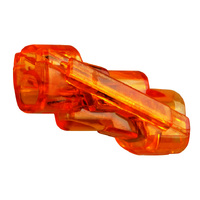
IDEAL Spliceline 2-Port Inline Connector (100 Jar)
Model # 30-1142J
Model #
30-1142J
$38.50 $35.00 ex GST
 Industrial
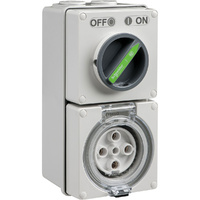
Clipsal Easy56 Round 5 Pin 32A Switched Socket
Model # EY56C532
Model #
EY56C532
$134.50 $122.27 ex GST
 Lighting
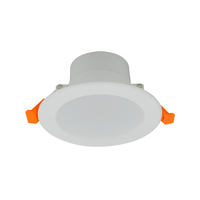
Tradelike BUDDY 10W Non-Dimmable LED Downlight Kit 4000K
Model # TLBU4010W
Model #
TLBU4010W
$4.95 $4.50 ex GST
 Service Provider
 Smart Home & Security
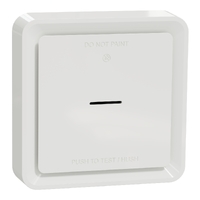
Clipsal Wiser Smart Smoke Alarm with 10 Year Lithium Battery White
Model # CLP599WSAL
Model #
CLP599WSAL
$161.15 $146.50 ex GST
 Switchboards
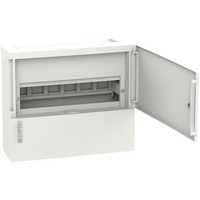
Clipsal Resi MAX 1 Row 12 Pole Surface Mount Switchboard
Model # RMXE112S
Model #
RMXE112S
$51.81 $47.10 ex GST
 Switchgear
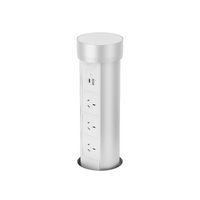
Point Pod Multi Pop Up Powerpoint 3 x Power 2 x USB Silver
Model # PPM01
Model #
PPM01
$490.50 $445.91 ex GST
 Tools
Tools
 TV & Data
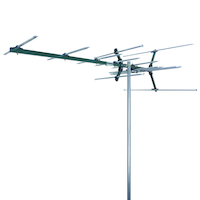
Matchmaster 03MM-DC21V Digital TV Antenna
Model # 03MM-DC21V
Model #
03MM-DC21V
$137.50 $125.00 ex GST
 Click here to see our huge range
Air Movement
Cable
Circuit Protection
Conduit & Ducting
Electrical Accessories
Industrial
Lighting
Service Provider
Smart Home & Security
Switchboards
Switchgear
Tools
TV & Data
Click here to see our huge range
Air Movement
Cable
Circuit Protection
Conduit & Ducting
Electrical Accessories
Industrial
Lighting
Service Provider
Smart Home & Security
Switchboards
Switchgear
Tools
TV & Data
Upgrading your wall outlets with a modern USB power point is one of the simplest ways to streamline your space. Instead of cluttering sockets with bulky adaptors, integrated USB power sockets & charging outlets let you plug cables directly into the wall while keeping your 240V sockets free. At MJS Electrical Supplies, we stock classic USB-A ports, fast-charging USB-C connections, hybrid plates, and standard double power point with USB units. As a trusted independent electrical wholesaler, we supply trade-grade GPO with USB hardware to help you find the best USB power point for your needs. Explore our complete range below.
Finding the right power point with USB comes down to matching the outlet to the devices you charge every day. We stock several practical faceplate configurations to suit different rooms and wiring layouts.
A USB wall socket with traditional rectangular Type-A ports is ideal for charging older smartphones and everyday tech.
More and more smartphones and devices have adopted smaller cables over the years to support fast-charging and cross-device compatibility, which is why it’s smart to invest in a USB outlet with dedicated USB-C ports.
If your home or office uses a combination of old and new devices, a hybrid USB-A and USB-C power point is a versatile option that minimises messy cable clutter.
Combining two standard 240V AC 10A sockets with integrated USB charging modules, a double power point with USB is the standard replacement for traditional double GPOs. They fit neatly into existing wall boxes, making them a seamless upgrade for internal power points in living areas, kitchens, and master bedrooms.
For high-use spots like kitchen island benches and office desks, multi-outlet pop-up units create powerful multi-device USB charging stations. Browse our specialised benchtop power points for sleek pop-up options.
Selecting the ideal GPO with USB depends on evaluating your power demands and physical wall space. When comparing products on our site, keep these key technical factors in mind:
Not sure which USB connection you need? Read our complete USB power point guide.
Understanding the differences helps you choose the right module for long-term convenience:
| Feature | USB-A | USB-C |
|---|---|---|
| Connection | Traditional rectangular port | Newer reversible oval port |
| Device Support | Older phones, accessories, legacy tech | Current smartphones, tablets, modern laptops |
| Charging Speed | Standard fixed 5V output | High-speed negotiable Power Delivery (PD) |
| Best For | Guest rooms, rentals, existing cables | New builds, modern home offices, future-proofing |
Learn more: USB-A vs USB-C Power Points
Integrating a modern USB power point adds daily convenience across every area of a home or commercial building:
While USB ports supply safe low-voltage DC power, the wall unit itself is hardwired directly into your property's 230V-240V AC mains electrical grid. In Australia, all fixed electrical work must be performed by an appropriately licensed electrician under AS/NZS 3000 wiring rules.
Check that your chosen USB power point carries the Regulatory Compliance Mark (RCM) to confirm it meets strict Australian electrical safety standards.
A USB power point is a hardwired wall socket with built-in USB charging ports in addition to standard AC plug sockets. The unit converts mains power into low-voltage DC inside the unit, so you can charge devices with a USB cable without a need for a wall plug.
If you’re retrofitting an existing space with older cables, a USB-A model is the best choice, but if you’re only going to use it to power or charge newer devices, then a USB outlet with USB-C works well.
Yes. A dual USB-A and USB-C power point combines both port styles on a single wall plate, making it the most versatile option for households with a mix of older and newer devices. No need to buy new cables or wall plugs!
Key factors include the port type (USB-A vs USB-C), total charging output (amperage/wattage), fast-charging support, and compliance with Australian standards (RCM mark).
You can charge as many USB devices as there are dedicated USB ports on the faceplate — typically two per outlet — while still using the standard 240V AC sockets for other appliances. Note that shared total amperage is split across connected USB devices.
Yes, many modern USB-C power points have integrated Power Delivery (PD) technology. When paired with a compatible cable and device, the outlets deliver higher wattages to charge devices a lot faster than standard USB-A ports.
Yes. Australian law requires a licensed electrician to carry out all installation, replacement, and relocation work. This is because USB power points connect directly to fixed 230V-240V mains wiring, which causes safety risks without the right gear and expertise.
It depends on what devices you’re planning on plugging into the outlet. For example, if you only want to charge a couple of older devices, go for a simple USB power point with 2 power sockets and 2 USB-A ports.
Right here, at MJS Electrical Supplies! Explore our extensive range of power points and power points accessories to enhance your space.



Add your favourites to cart

Select Afterpay at checkout

Log into or create your Afterpay account, with instant approval decision

Your purchase will be split into 4 payments, payable every 2 weeks
All you need to apply is to have a debit or credit card, to be over 18 years of age, and to be a resident of country offering Afterpay
Late fees and additional eligibility criteria apply. The first payment may be due at the time of purchase
For complete terms visit afterpay.com/terms