















Shopping Cart
0
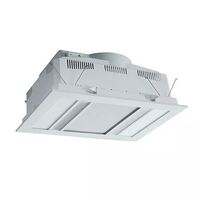
Martec Phoenix 3-in-1 Fan, Heater, Light & Exhaust White
Model # MBHP1000W
Model #
MBHP1000W
$324.50 $295.00 ex GST
17% OFF
RRP $389.00
Download the MJS App today and get everything you need at your fingertips





Need Help?
Need Help?
 Air Movement
Martec Phoenix 3-in-1 Fan, Heater, Light & Exhaust White
Model # MBHP1000W
Model #
MBHP1000W
$324.50 $295.00 ex GST
 Cable
Cable
 Circuit Protection
 Conduit & Ducting
 Electrical Accessories
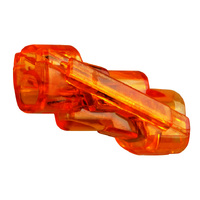
IDEAL Spliceline 2-Port Inline Connector (100 Jar)
Model # 30-1142J
Model #
30-1142J
$38.50 $35.00 ex GST
 Industrial
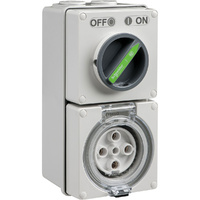
Clipsal Easy56 Round 5 Pin 32A Switched Socket
Model # EY56C532
Model #
EY56C532
$134.50 $122.27 ex GST
 Lighting
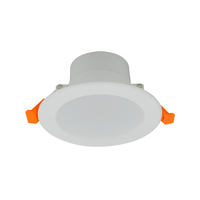
Tradelike BUDDY 10W Non-Dimmable LED Downlight Kit 4000K
Model # TLBU4010W
Model #
TLBU4010W
$4.95 $4.50 ex GST
 Service Provider
 Smart Home & Security
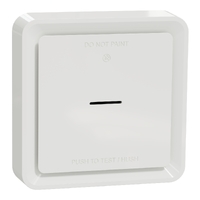
Clipsal Wiser Smart Smoke Alarm with 10 Year Lithium Battery White
Model # CLP599WSAL
Model #
CLP599WSAL
$161.15 $146.50 ex GST
 Switchboards
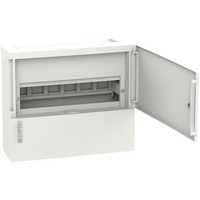
Clipsal Resi MAX 1 Row 12 Pole Surface Mount Switchboard
Model # RMXE112S
Model #
RMXE112S
$51.81 $47.10 ex GST
 Switchgear
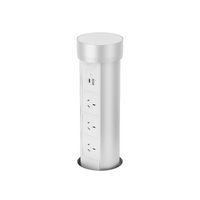
Point Pod Multi Pop Up Powerpoint 3 x Power 2 x USB Silver
Model # PPM01
Model #
PPM01
$490.50 $445.91 ex GST
 Tools
Tools
 TV & Data
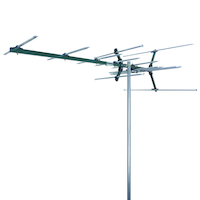
Matchmaster 03MM-DC21V Digital TV Antenna
Model # 03MM-DC21V
Model #
03MM-DC21V
$137.50 $125.00 ex GST
 Click here to see our huge range
Air Movement
Cable
Circuit Protection
Conduit & Ducting
Electrical Accessories
Industrial
Lighting
Service Provider
Smart Home & Security
Switchboards
Switchgear
Tools
TV & Data
Click here to see our huge range
Air Movement
Cable
Circuit Protection
Conduit & Ducting
Electrical Accessories
Industrial
Lighting
Service Provider
Smart Home & Security
Switchboards
Switchgear
Tools
TV & Data
Date Posted:23 September 2026
That’s where a USB power point comes in. Simply put, it’s a standard wall outlet with built-in USB ports that charge your devices straight from the wall, leaving your 240V plugs free for actual appliances. Internal transformers convert your home's mains power into safe, low-voltage electricity for your tech. While traditional USB-A ports are fine for older gear, modern USB-C ports offer much faster charging for newer phones and laptops. To save you from guessing what hardware you need, we’ve put together this complete guide to help you choose the right USB outlets for your home.
A USB power point is a standard Australian General Purpose Outlet outlet (GPO) engineered with USB charging ports built directly into the faceplate. Instead of plugging in a separate plug block that sticks out from the wall, the USB connections sit right alongside your normal plug sockets.
Available in single, double, and quad configurations, these outlets combine AC mains power and low-voltage DC charging in one unit. You can buy faceplates with classic USB-A ports, modern USB-C ports, or dual combination plates, letting you power heavy household appliances and charge your mobile devices while you’re at it.
You don't need an engineering degree to understand how these outlets work — it all comes down to a clever little power conversion happening behind the plaster:
These feature the classic flat, rectangular ports we’ve used for decades. They’re great for charging legacy gear, smartwatches, and older phones using standard USB cables.
These feature the smaller, reversible oval port common on more modern tech. USB-C power points allow for much higher power limits, so they’re the practical choice for current smartphones, tablets, and laptops.
Still tossing up between USB-A vs USB-C power points? You don’t have to, as hybrid plates have both types on the same wall plate. They’re ideal for busy households managing a mix of older and newer devices.
The most common configuration in Australian homes, double power points with USB include two standard 10A plug sockets with twin USB ports. They fit neatly into standard wall box spaces during a quick upgrade or new build.
Also known as quad GPOs, these have four standard plug sockets plus integrated USB ports. They’re particularly popular for high-use spots like office desks, kitchen hubs, or TV entertainment units where multiple devices need power and outlet space is at a premium.
| Feature | USB - A | USB - C |
| Connector | Flat, rectangular (plugs in one way) | Oval, often reversible (same plugs in either way) |
| Compatibility | Older cables, legacy phones, basic accessories | Modern smartphones, tablets, current laptops |
| Charging Capability | Standard speed charging | High-speed, fast charging supported |
| Power Output; | Lower output (usually capped at 10W — 12W) | High wattage capacity (up to 30W — 65W+ with PD |
| Device Types | Smartwatches, headphones, older phones | Modern iPhones, Androids, iPads, MacBooks |
| Future Compatibility | Slowly being phased out by manufacturers | Current industry standard for new electronics |
| Which One to Choose | Best for guest rooms, rentals, and older gear | Best for new builds, home offices, and main rooms |
If you want your phone or laptop to charge fast, USB-C Power Delivery (USB PD) is an absolute game-changer. Standard USB ports output a fixed voltage, but a USB PD port intelligently 'talks' to your device when you plug it in. They negotiate the highest safe voltage and current — switching from standard 5V up to 9V, 15V, or 20V depending on what your battery can handle.
This intelligent negotiation is what lets you rapidly top up a phone or run a laptop directly from a wall outlet. Keep in mind that not every USB-C port includes Power Delivery — basic USB-C outlets without PD will still charge your gear, but only at standard speeds.
In order to understand charging speeds and capacity, it helps to have USB power point wattage explained first:
Start by looking at the cables lying around your house. For example, if you only have old devices, a USB-A will do the trick. If you have a mix of old and new gear, go for a hybrid USB-A + USB-C plate. If you’re planning to upgrade all your devices, stick to USB-C to future-proof your space.
Check the shared amperage and wattage on the product specs. If you frequently charge power-hungry tablets or multiple devices at once, opt for higher output ratings.
If you want to charge laptops directly from the wall or need rapid phone top-ups before heading out the door, make sure the USB-C outlet explicitly supports Power Delivery (PD).
Think about how many devices get plugged in at that specific spot. A bedside table usually only needs two ports, whereas a busy study desk might need four.
Decide whether a standard double GPO will cut it or if you need a 4-gang quad outlet to keep fixed gear like lamps, monitors, or printers powered.
Make sure your charging cables match the physical ports on the wall plate and are built to handle high-wattage fast charging.
Don't forget wall box space! USB internal mechanisms take up more depth behind the plaster than standard power points, so check that your wall cavities or mounting blocks have enough room.
Ready to choose? Browse our USB power points.
It’s a smart idea to get USB power points for kitchens, with splashbacks and island benches as prime locations. Built-in USB ports keep 240V sockets open for kettles, air fryers, and blenders while keeping recipe tablets and phones charged away from food prep areas. Installing pop-up benchtop power points on island worktops gives you high-density charging without ruining clean benchtop lines.
Fitting USB power points for bedrooms gets rid of clunky wall blocks, leaving main plugs free for reading lamps and clock radios while your phone and smartwatch top up overnight.
Desks are notorious cable traps. Adding USB power points for home offices lets you power phones, wireless gear, and laptops straight from the wall, leaving standard sockets free for monitors and printers.
Placing USB outlets near couches or TV units provides convenient charging for family phones, tablets, and gaming controllers without running extension leads across the rug.
Hotels, cafes, boardrooms, and hot-desking offices install USB power points to offer convenient charging for guests and workers carrying different devices.
A standard GPO supplies 230V—240V AC electricity only, so you always need a separate plug-in transformer block to charge USB devices. A USB power point combines those same AC sockets with built-in low-voltage DC charging ports on the single faceplate.
Yes, as long as you buy quality, compliant hardware and have it installed properly. Quality USB outlets include built-in thermal cut-outs, overload protection, and short-circuit protection to protect your devices and home wiring.
As a leading electrical wholesaler, MJS Electrical Supplies always recommends choosing products stamped with the Regulatory Compliance Mark (RCM). This proves the hardware meets strict Australian safety standards (AS/NZS 3112 and AS/NZS 3000). Avoid cheap, uncertified online imports — they often lack basic thermal protection and can pose serious fire and shock hazards.
Yes. In Australia, replacing or installing fixed electrical power points — including swapping a standard wall outlet for a USB power point — must be carried out by a licensed electrician.
Even though USB ports output low-voltage DC power, the faceplate connects directly to 230V-240V AC mains electricity behind the plaster. Attempting DIY mains electrical work is illegal in Australia, voids your home insurance if something goes wrong, and carries huge risks of electrical shock. A licensed sparky will also check your wall box depth and circuit capacity to make sure everything runs safely.
When planning your layout, check out our full range of internal power points and power points accessories to match your new USB sockets with standard switches.

Copyright © 2026 MJS Electrical Products & Supplies. All rights reserved



Add your favourites to cart

Select Afterpay at checkout

Log into or create your Afterpay account, with instant approval decision

Your purchase will be split into 4 payments, payable every 2 weeks
All you need to apply is to have a debit or credit card, to be over 18 years of age, and to be a resident of country offering Afterpay
Late fees and additional eligibility criteria apply. The first payment may be due at the time of purchase
For complete terms visit afterpay.com/terms